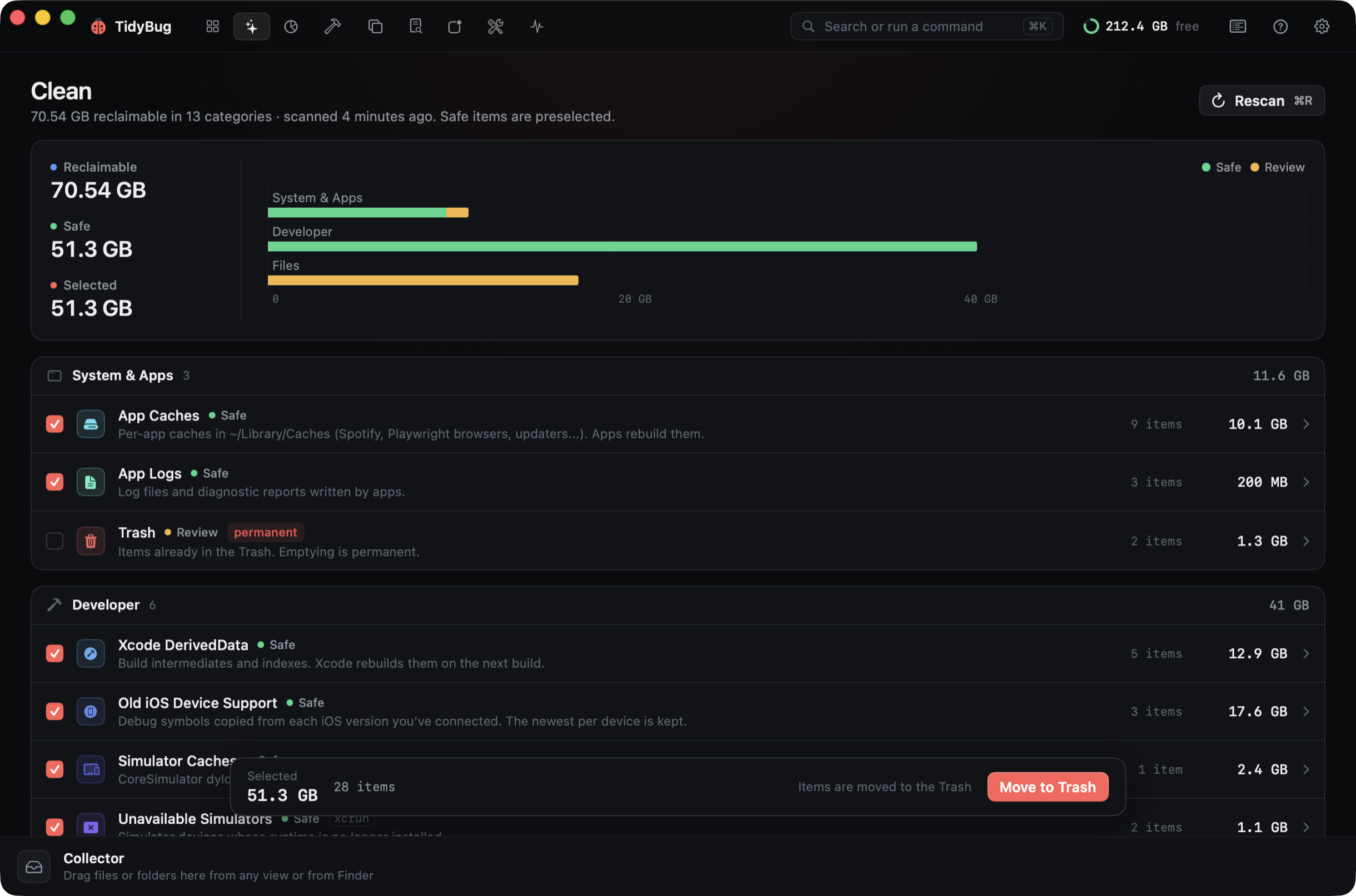
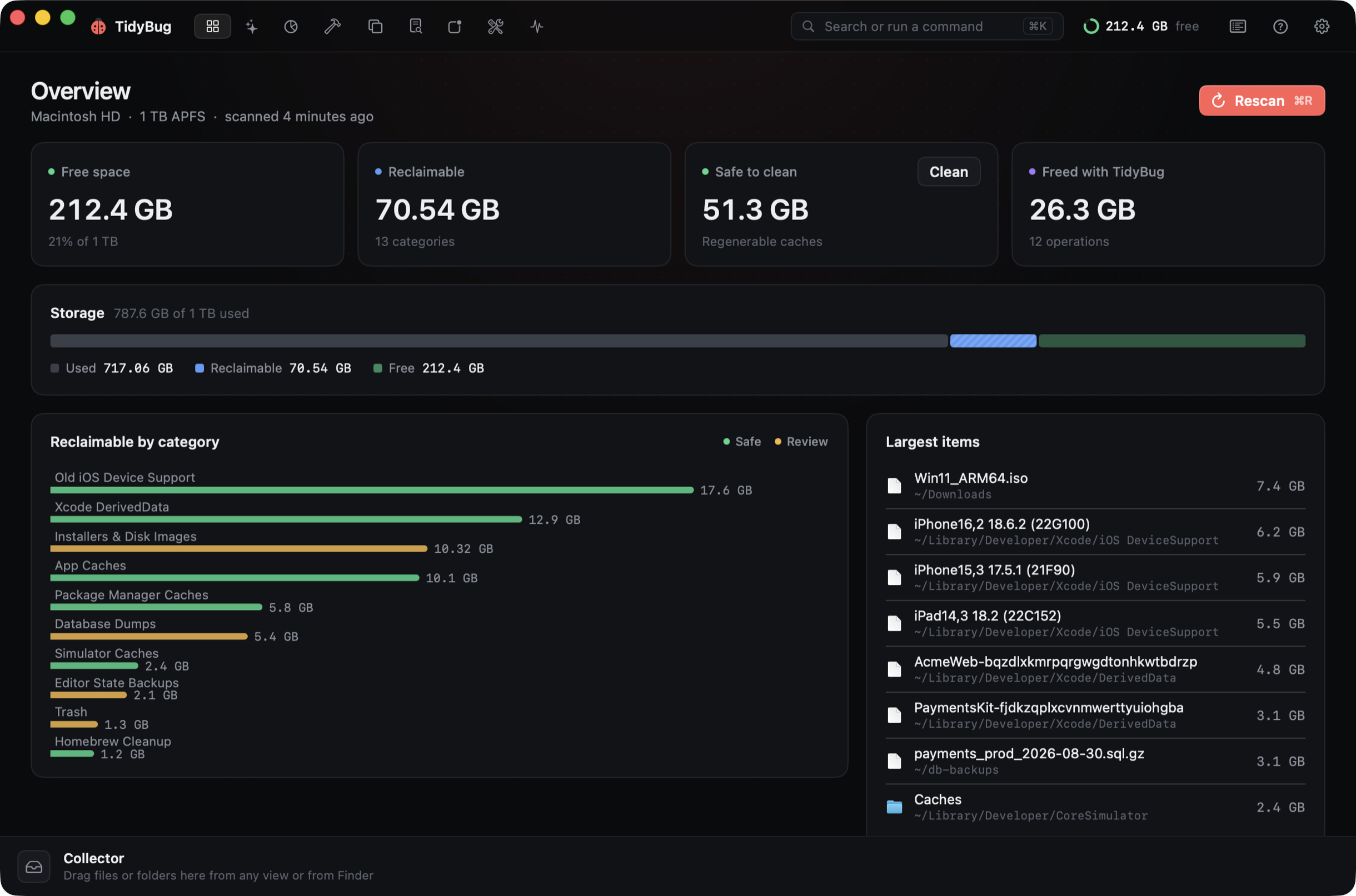
TidyBug finds regenerable caches, build artifacts, duplicates and forgotten installers, shows exactly what each item is and where it lives, and moves only what you approve to the Trash.
↘ Try it. Hover the map, click to zoom, drag a slice into the Collector.
Free & open sourceNotarized by AppleNo tracking in the appApple silicon & Intel
~—click to go up
✓
CollectorDrag slices here
Clean · ⌘2
Nineteen places junk hides. Checked in seconds.
TidyBug scans every known location in parallel, groups what it finds by risk, and pre-selects only what is regenerable. Everything else waits for your call.
A cleaner, an analyzer, an uninstaller and a monitor.
Nine focused tools, one keyboard-first window, and a menu bar companion. Each one knows the difference between a cache and your work.
⌘3
Space: a map of every byte
An interactive sunburst of any folder. Zoom with a click, drag anything into the Collector, and delete it all in one go. Sizes are hardlink-aware, so pnpm stores and clones are never double-counted.
Library180.2 GB
Documents/GitHub96.4 GB
Downloads68.0 GB
⌘4
Projects: build leftovers, safely
Finds node_modules, Xcode build, .venv, Pods, target and more across your repos. Only folders a lockfile can restore are suggested; signed archives are never touched.
⌘5
Duplicates
Exact matches by size, partial hash and SHA-256; similar photos by Vision feature prints. One copy in every group is always kept.
IMG_2041.HEIC × 3
sha256 a41f 09c2 77be … 3e10
KEEP~/Pictures/Trips/
~/Downloads/
⌘7
Apps: uninstall completely
Removes an app with its preferences, caches, containers, saved state and launch agents, and finds leftovers of apps you already deleted.
Preferences/com.vendor.app.plist
Caches/com.vendor.app
Containers/com.vendor.app
⌘6
Large & old files
ISOs, videos, dumps and archives you forgot. Filter by kind, sort by last use, Quick Look with the space bar.
Win11_ARM64.iso1y 7.4 GB
Xcode_26.xip4mo 11 GB
prod_dump.sql.gz9mo 3.1 GB
⌘8
Optimize: maintenance that explains itself
Flush DNS, rebuild Launch Services and Quick Look, compact Mail and Safari databases, free inactive memory. Preview shows the exact commands; admin tasks share one password prompt.
Flush DNS cacheAdmin✓ 0.4s
Reset Quick Look thumbnails✓ 1.2s
Compact Mail databaseskipped · Mail is open
⌘9
Monitor: live system health
CPU per core, memory pressure, GPU, disk and network throughput, battery and thermals, top processes, and a single health score.
CPU 34%
⌘K
Keyboard first
Every action is a command away. Try it right here: press ⌘K (or Ctrl K) and type.
Menu bar companion
Free space at a glance, live CPU and memory, and a one-click clean of safe items, without opening the app. Low-space alerts arrive as notifications.
New
Notch overlay
Live CPU and memory sit beside the notch, even with the app closed. Hover it to expand into swap, GPU, network and disk, with quick actions. Hover the one below.
XcodeFileEditView
⌘Wi‑FiTue 9:41
–71%
CPU10P + 4E cores–
Memory17.1 / 24 GB · Normal71%
Swap1.7 GBGPU14%Network2.1M ↓Disk free212 GB
Hover or tap the notch
The app
Dark, dense, and fast.
A native SwiftUI app built for macOS 26: SF Mono paths, real sizes, Swift Charts, and nothing between you and the data.
Safety model
Built by someone who has run rm -rf at 2 a.m.
Scanning is read-only
Nothing moves until you confirm. Every clean shows a review sheet with a dry run through the safety guard first.
Trash by default
Items go to the Trash and can be put back. Permanent deletion is opt-in, and only ever for regenerable caches.
Protected paths
~/Documents, ~/Desktop, iCloud Drive, Photos libraries, .git, ~/.ssh and signed .xcarchive / .ipa are never removed.
Everything logged
Every operation is appended to ~/Library/Logs/TidyBug/operations.jsonl, and every command it runs is shown first.
$du -sh ~/Documents/GitHub/*/node_modules | …61 GBDouble-counts pnpm's hardlinks: the same bytes, reached through twenty folders.
TidyBug · Projects31 GBDeduplicated by (device, inode). The number it shows is what you actually get back.
Open source · GPL-3.0
Read every line that deletes.
An app that removes files should be auditable. TidyBug is free software: the scanner, the clean rules and the safety guard that decides what may never be touched are all on GitHub. Issues and pull requests welcome.
Free. Signed with Developer ID and notarized by Apple, so it opens without warnings. Updates arrive automatically, verified with an EdDSA signature before they install.
TidyBug never deletes on its own. Scans are read-only, every clean shows exactly which paths will move, a safety guard refuses protected locations even if you select them, and by default everything goes to the Trash so you can put it back.
Why does it ask for Full Disk Access?
macOS hides parts of ~/Library (Mail, Safari, some app containers, the Trash) from apps without it. TidyBug works without it; it just can't size or clean those places. It never reads file contents except to hash duplicates you asked it to find.
Why not just rm -rf it myself?
You can, and TidyBug shows you the exact paths so you could. What it adds: knowing which node_modules can be reinstalled from a lockfile, which Device Support folder is the newest for each device, real sizes that don't double-count hardlinks, and a guard that refuses signed archives and your source code.
What is the Collector?
A staging area at the bottom of the window. Drag anything into it from the Space map, any list, or Finder, review the total, then Delete All moves everything to the Trash at once.
Does it send any data anywhere?
No accounts, no analytics. The only network request is the update check against dl.xeve.io, which you can turn off in Settings.
How do updates work?
TidyBug uses Sparkle. New versions are notarized by Apple and signed with TidyBug's own EdDSA key; the app verifies that signature before installing anything.
Is it open source?
Yes. TidyBug is free software under the GPL-3.0 license. The code, including the safety guard that decides what may be removed, is on GitHub.